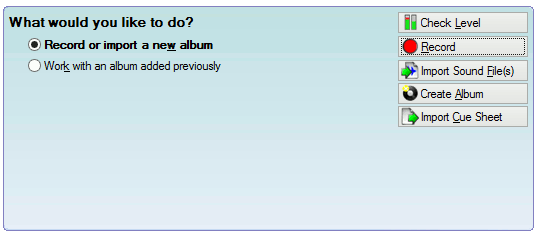

You can import recordings that you have made outside VinylStudio into your collection. To do so, proceed as follows:
Then:
If you wish to import additional sound files for an existing album, click on Work with an existing album, then select the album from the dropdown list and click on Import Sound File(s). You can also import files via the File History List in the Cleanup Audio window, where you can see which files have been imported or recorded previously for a particular album side.
The files you select will, at your option, either be left where they are or copied or moved into VinylStudio's recordings folder. VinylStudio can import a variety of recording formats.
If you wish to re-import a file that you have edited outside VinyStudio, please refer to the File History List help topic. You can also use the File History List to convert between recording formats.
If you only selected a single file to import, then the following dialog is displayed:
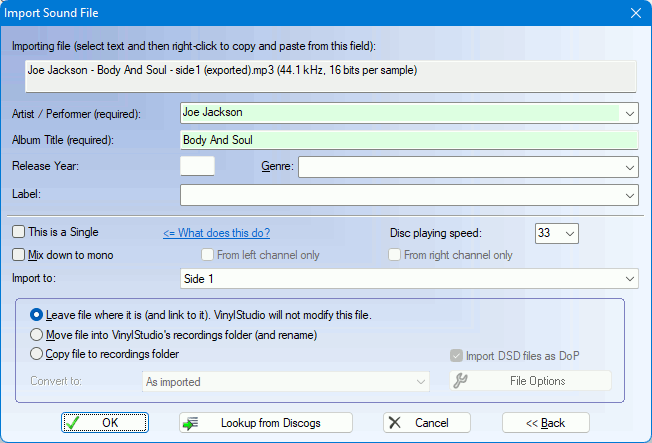
If you elect to copy the file you are importing, you can convert it to another format at this point. Just select it from the dropdown and then specify any desired options via the File Options button.
Album artist and title are required. The other details are optional.
( only).
can import several files in one go for any particular album. This is especially useful where the files are individual tracks, rather than whole album sides. VinylStudio can insert track breaks between the files for you and automatically name the tracks from the file names.
To import multiple files, Ctrl-clickCmd-click or Shift-click on the files when they are displayed in the list. The following dialog is then displayed:
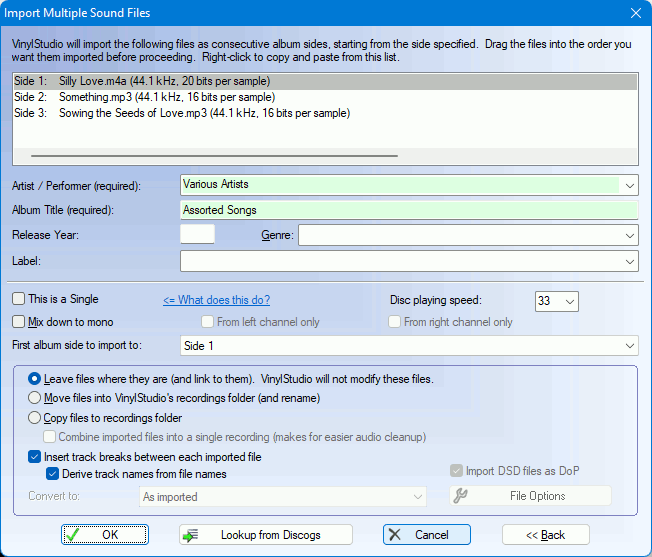
Again, you can convert to a different format (as described above), and again, album artist and title are required. You can also combine the files you are importing into a single file if desired, and if the files are not in the right order, you can drag them around in the list before you proceed.
( only).
can import albums from cue sheets. Just click Import Cue Sheet and select the file or files you wish to import. The rest is automatic.
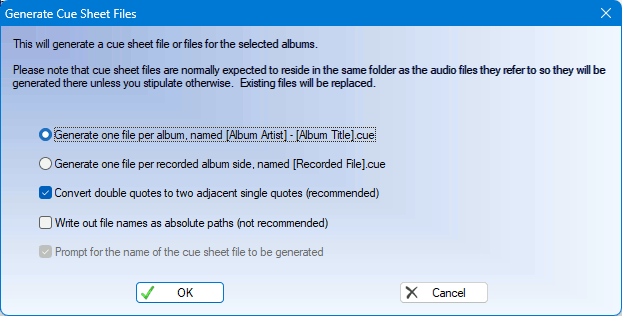
It is also possible to generate cue sheets for some or all of the albums in your collection. To generate a cue sheet (or sheets) for a single album, select Generate cue sheets from the Album menu. You can generate cue sheets for several albums at a time in the Batch window. Cue sheets will be written to the same folder as the recorded files they refer to as that is the way they work, and any existing files will be overwritten.